For students
Everything you need to find, book and live in your hostel
From choosing your bed to checking in at the gate, here is how Abodera works.
Find and book
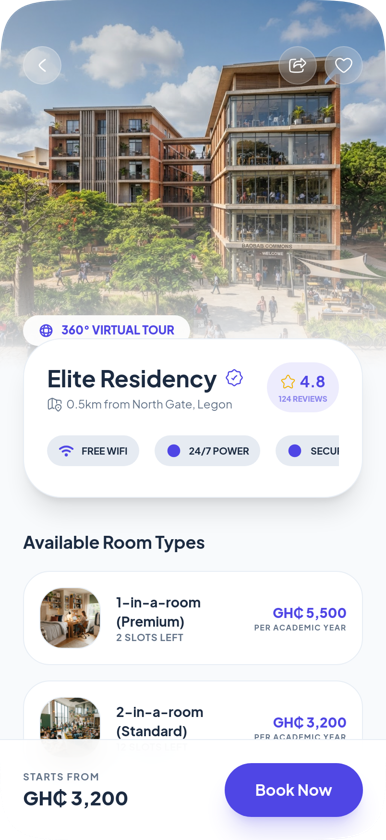
Choose your exact bed, not just a room
Every hostel on Abodera is verified before it goes live. Compare prices, photos, amenities and distance from campus, then pick the bed you want.
- Search hostels near your university and filter by budget, room type and gender.
- Open a hostel to see its rooms, photos, amenities and reviews.
- Pick an available bed and pay the deposit. The bed is held for you while payment completes.
- Get your booking reference (ABD-...) and receipt in the app.
Installment payments
Rent payments that work for you
Hostel fees are a lot to pay at once. Where a hostel allows it, you can pay a deposit to secure your bed and spread the rest across a few payments.
- Pay the deposit when you book to hold your bed.
- See your full payment plan and due dates in the app.
- Pay each installment by card or mobile money through Paystack.
- Get a receipt in the app after every payment.

Roommate matching
Match with a roommate who gets you
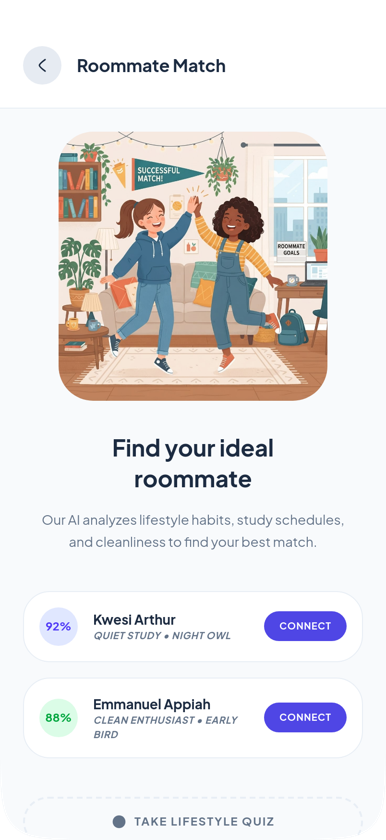
Sharing a room is easier with someone who keeps the same hours. Tell us how you live and Abodera suggests students who are a good fit.
- Set your preferences: sleep schedule, study habits, cleanliness and noise.
- See suggested roommates from your university.
- Connect, chat in the app and decide together.
- Book beds in the same room once you agree.
Abodera AI
Ask for what you need, in your own words
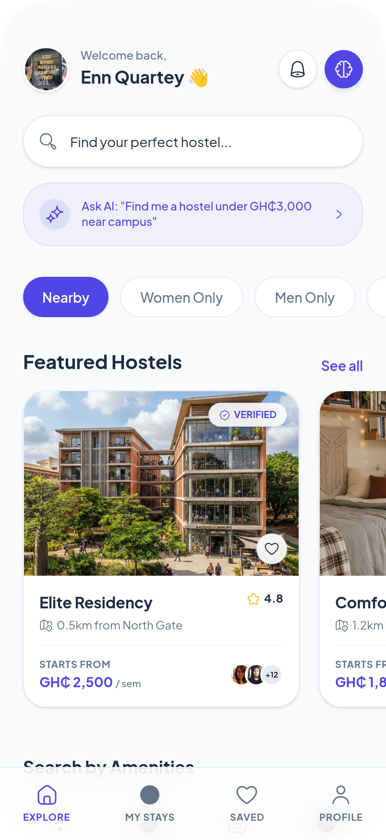
No need to work through filters. Type what you are looking for and Abodera AI finds hostels that match.
- Tap Ask AI on the home screen.
- Type something like “a hostel under GH₵3,000 near campus with WiFi”.
- Get matching hostels back in seconds.
- Open any result to see the details and book.
Move-in and living
Visitor passes and QR check-in
Once you move in, the app keeps hostel life simple and secure.
- Check in at the gate with the QR code on your booking.
- Create a digital visitor pass for friends and family before they arrive.
- See your hostel’s WiFi details, gate information and emergency contacts in My Room.
- Report maintenance issues and get hostel announcements in the app.

Ready to find your place?
Get the Abodera app and see every verified hostel near your campus.
Coming soon to theApp StoreComing soon toGoogle Play